

Broadcast Receivers
Creating the Broadcast Receiver
A broadcast receiver is implemented as a subclass of BroadcastReceiver class and overriding the onReceive() method where each message is received as a Intent object parameter.
public class MyReceiver extends BroadcastReceiver { @Override public void onReceive(Context context, Intent intent) { Toast.makeText(context, "Intent Detected.", Toast.LENGTH_LONG).show(); } }
Registering Broadcast Receiver
An application listens for specific broadcast intents by registering a broadcast receiver in AndroidManifest.xml file. Consider we are going to register MyReceiver for system generated event ACTION_BOOT_COMPLETED which is fired by the system once the Android system has completed the boot process.
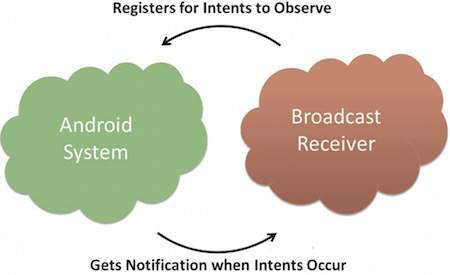
Broadcast-Receiver
Now whenever your Android device gets booted, it will be intercepted by BroadcastReceiver MyReceiver and implemented logic inside onReceive() will be executed.
Broadcasting Custom Intents
If you want your application itself should generate and send custom intents then you will have to create and send those intents by using the sendBroadcast() method inside your activity class. If you use the sendStickyBroadcast(Intent) method, the Intent is sticky, meaning the Intent you are sending stays around after the broadcast is complete.
public void broadcastIntent(View view) { Intent intent = new Intent(); intent.setAction("com.tutorialspoint.CUSTOM_INTENT"); sendBroadcast(intent); }
This intent com.tutorialspoint.CUSTOM_INTENT can also be registered in similar way as we have regsitered system generated intent.