

Validation
Validation in ASP.NET MVC
Validation is an important part of ASP.NET MVC applications. It ensures that the data entered by users is correct, complete, and safe before it is processed or stored in the database.
ASP.NET MVC provides built-in validation features that are:
Easy to use
Powerful
Integrated with both server-side and client-side (jQuery) validation
When validation fails, meaningful error messages are displayed to the user.
DRY Principle
DRY stands for Don’t Repeat Yourself.
It is one of the core design principles of ASP.NET MVC.
Meaning of DRY
Define rules or behavior only once
Reuse them throughout the application
Benefits
Less duplicate code
Fewer bugs
Easier maintenance
Better readability
Validation follows the DRY principle by placing rules directly in the Model, instead of repeating them in Controllers and Views.
Adding Validation Using Data Annotations
ASP.NET MVC provides Data Annotations, which are attributes applied directly to model properties.
Common Validation Attributes
Required
StringLength
MinimumLength
Range
RegularExpression
Formatting Attributes (not validation)
DataType
Display
DisplayFormat
These attributes:
Define validation rules
Control how data is displayed
Are automatically used by MVC for validation
Lets update Employee class by adding different annotation attributes as shown in the following code.
using System; using System.ComponentModel.DataAnnotations; using System.Data.Entity; namespace MVCSimpleApp.Models { public class Employee{ public int ID { get; set; } [StringLength(60, MinimumLength = 3)] public string Name { get; set; } [Display(Name = "Joining Date")] [DataType(DataType.Date)] [DisplayFormat(DataFormatString = "{0:yyyy-MM-dd}", ApplyFormatInEditMode = true)] public DateTime JoiningDate { get; set; } [Range(22, 60)] public int Age { get; set; } } }
Now we also need to set limits to the database. However, the database in SQL Server Object Explorer shows the name property is set to NVARCHAR (MAX) as seen in the following screenshot.
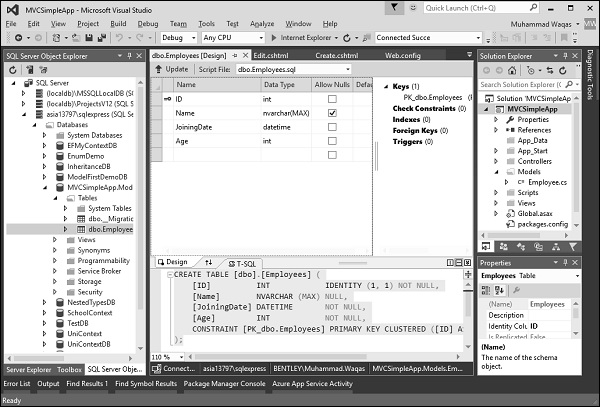
To set this limitation on the database, we will use migrations to update the schema.
Open the Package Manager Console window from Tools → NuGet Package Manager → Package Manager Console.
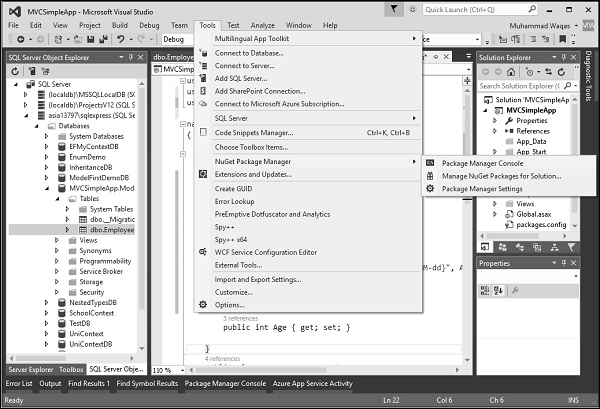
Enter the following commands one by one in the Package Manager Console window.
Enable-Migrations add-migration DataAnnotations update-database
Following is the log after executing these commands in Package Manager Console window.
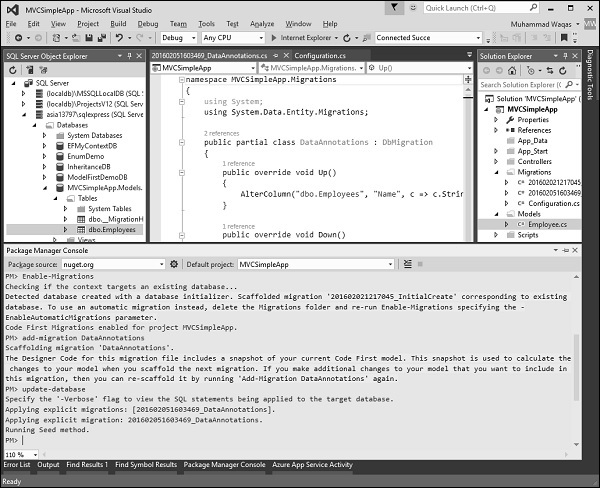
Visual Studio will also open the class which is derived from the DbMIgration class in which you can see the code that updates the schema constraints in Up method.
namespace MVCSimpleApp.Migrations { using System; using System.Data.Entity.Migrations; public partial class DataAnnotations : DbMigration{ public override void Up(){ AlterColumn("dbo.Employees", "Name", c => c.String(maxLength: 60)); } public override void Down(){ AlterColumn("dbo.Employees", "Name", c => c.String()); } } }
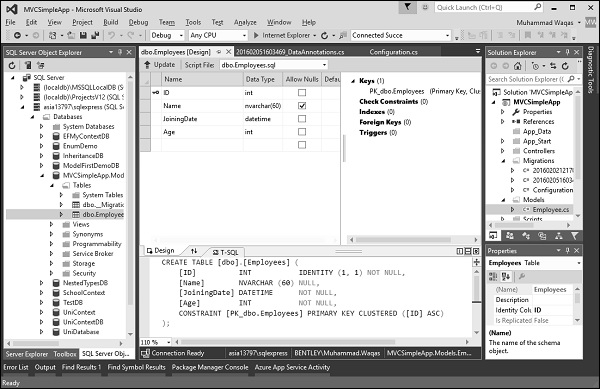
The Name field has a maximum length of 60, which is the new length limits in the database as shown in the following snapshot.
Run this application and go to Create view by specifying the following URL http://localhost:63004/Employees/Create
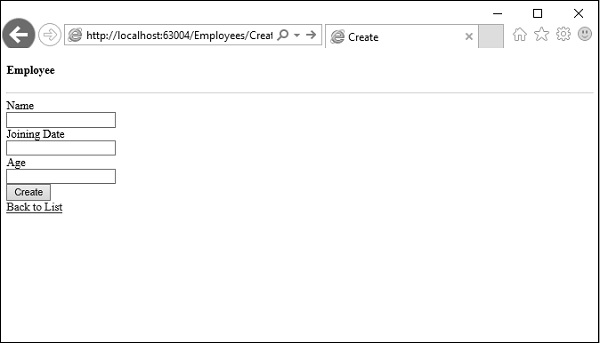
Lets enter some invalid data in these fields and click Create Button as shown in the following screenshot.
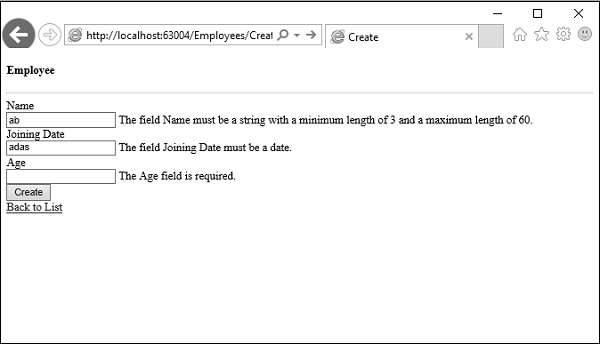
You will see that jQuery client side validation detects the error, and it also displays an error message.