

Caching
Example
Lets take a look at a simple example of caching in our project.
[OutputCache(Duration = 60)] public ActionResult Index(){ var employees = from e in db.Employees orderby e.ID select e; return View(employees); }
As you can see, we have added OutputCache attribute on the index action of the EmployeeController. Now to understand this concept, let us run this application in debugger mode and also insert a breakpoint in the Index action method.
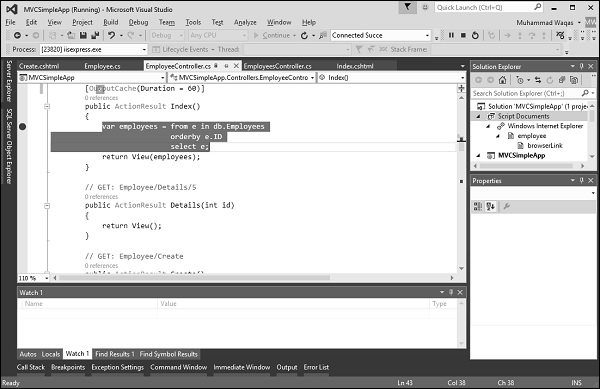
Specify the following URL http://localhost:63004/employee, and press Enter. You will see that the breakpoint is hit in the Index action method.
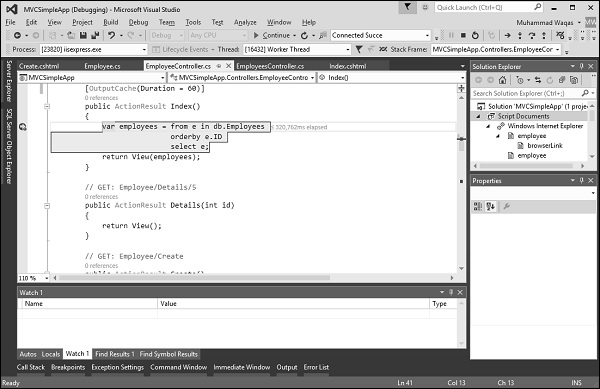
Press F5 button to continue and you will see the list of employees on your view, which are retrieved from the database.
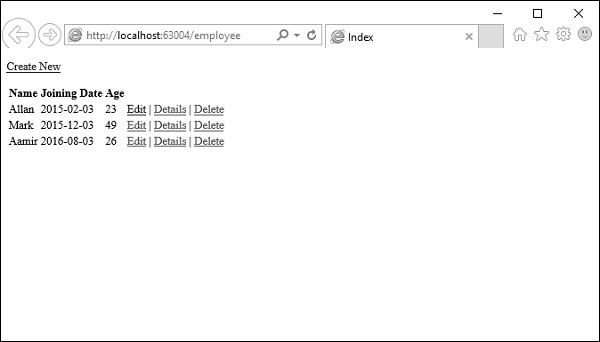
Refresh the browser again within 60 seconds and you will see that the breakpoint is not hit this time. This is because we have used output cache with duration of seconds. So it will cache this result for 60 seconds and when you refresh the browser, it will get the result from the cache, and it wont load the content from the database server.
In addition to duration parameter, there are other settings options as well which you can use with output cache. These settings are not only for MVC framework but it is inherited from ASP.Net Caching.
Varying the Output Cache
In some cases, you might want different cached versions, such as, when you create a detail page, then when you click on the detailed link you will get details for the selected employee.
But first we need to create the detail view. For this, right-click on the Details action method from the EmployeeController and select Add View
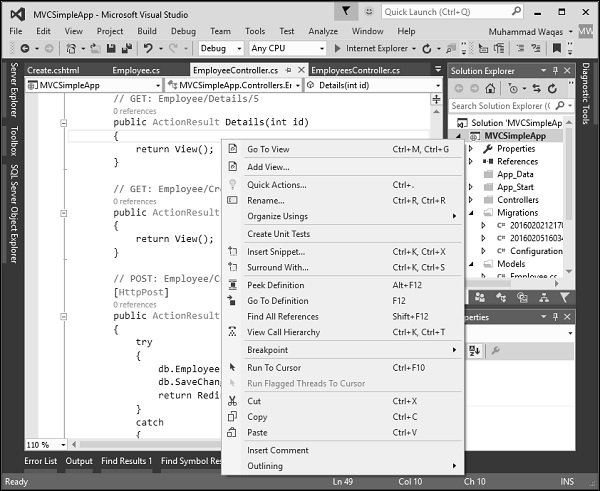
You will see the Details name is selected by default. Now select Details from the Template dropdown and Employee from the Model class dropdown.
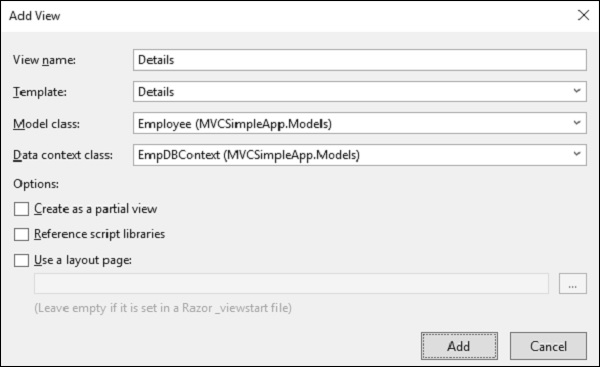
Click Add to continue and you will see the Details.cshtml.
@model MVCSimpleApp.Models.Employee @{ Layout = null; }
Employee
- @Html.DisplayNameFor(model => model.Name)
- @Html.DisplayFor(model => model.Name)
- @Html.DisplayNameFor(model => model.JoiningDate)
- @Html.DisplayFor(model => model.JoiningDate)
- @Html.DisplayNameFor(model => model.Age)
- @Html.DisplayFor(model => model.Age)
@Html.ActionLink("Edit", "Edit", new { id = Model.ID }) | @Html.ActionLink("Back to List", "Index")
You can take advantage of the VaryByParam property of the [OutputCache] attribute. This property enables you to create different cached versions of the very same content when a form parameter or query string parameter varies. Following is the implementation of Details action.
// GET: Employee/Details/5 [OutputCache(Duration = int.MaxValue, VaryByParam = "id")] public ActionResult Details(int id){ var employee = db.Employees.SingleOrDefault(e => e.ID == id); return View(employee); }
When the above code is compiled and executed, you will receive the following output by specifying the URL http://localhost:63004/employee.
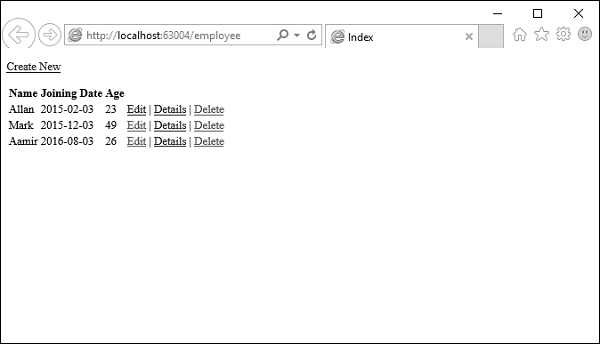
Click on the Details link of any link and you will see the details view of that particular employee.
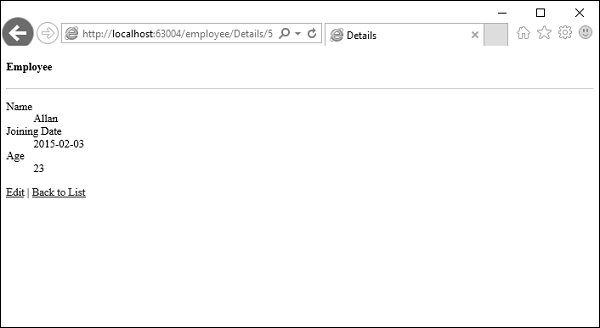
The Details() action includes a VaryByParam property with the value Id. When different values of the Id parameter are passed to the controller action, different cached versions of the Details view are generated.
It is important to understand that using the VaryByParam property results in more caching. A different cached version of the Details view is created for each different version of the Id parameter.
Cache Profile
You can create a cache profile in the web.config file. It is an alternative to configuring output cache properties by modifying properties of the [OutputCache] attribute. It offers a couple of important advantages which are as follows.
Controls how controller actions cache content in one central location.
Creates one cache profile and apply the profile to several controllers or controller actions.
Modifies the web configuration file without recompiling your application.
Disables caching for an application that has already been deployed to production.
Lets take a look at a simple example of cache profile by creating the cache profile in web.config file. The
You can apply the Cache10Min profile to a controller action with the [OutputCache] attribute which is as follows.
[OutputCache(CacheProfile = "Cache10Min")] public ActionResult Index(){ var employees = from e in db.Employees orderby e.ID select e; return View(employees); }
Run this application and specify the following URL http://localhost:63004/employee
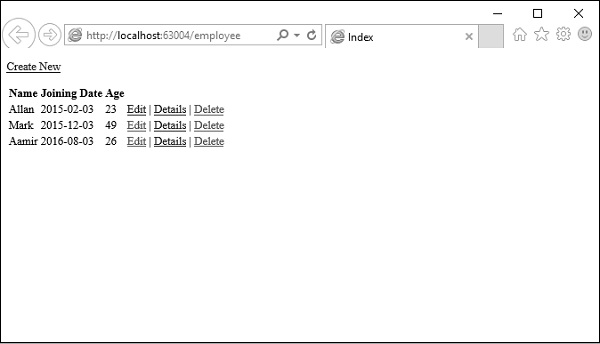
If you invoke the Index() action as shown above then the same time will be returned for 10 Min.
What Is Output Caching?
Output caching allows the application to store the output of a controller action in memory. When the same action is requested again, the cached response is returned instead of executing the controller logic again.
This prevents repeated execution of expensive operations such as:
Database queries
Complex calculations
Data processing
As a result, response time improves and server load is reduced.
Caching in ASP.NET MVC
In this chapter, we focus on one of the most commonly used performance optimization techniques in ASP.NET: Caching.
Caching means storing frequently used data or output in memory so that it can be reused quickly instead of being regenerated every time. By using caching, we can significantly improve the performance of an ASP.NET MVC application.
In ASP.NET MVC, caching is commonly implemented using the OutputCache filter attribute. This works similarly to output caching in ASP.NET Web Forms and allows you to cache the output returned by a controller action.