

Data Annotations
DataAnnotations in Entity Framework
DataAnnotations are used to configure model classes in Entity Framework. They allow developers to control database schema, validation rules, and relationships directly from the model.
DataAnnotations are understood by many .NET frameworks such as ASP.NET MVC, which enables:
Server-side validation
Client-side validation
Database schema configuration
DataAnnotation attributes override default Code First conventions.
DataAnnotations Namespaces
System.ComponentModel.DataAnnotations
These attributes affect nullability, size, and concurrency of database columns:
Key
Timestamp
ConcurrencyCheck
Required
MinLength
MaxLength
StringLength
System.ComponentModel.DataAnnotations.Schema
These attributes affect the database schema:
Table
Column
Index
ForeignKey
NotMapped
InverseProperty
Key
Key Attribute
Entity Framework requires every entity to have a primary key to track objects.
Default Convention
EF looks for:
Id
If EF cannot find a key, it throws an exception.
Using [Key] Attribute
If your property name does not follow conventions, use [Key].
public class Student {
[Key]
public int StdntID { get; set; }
public string LastName { get; set; }
public string FirstMidName { get; set; }
public DateTime EnrollmentDate { get; set; }
public virtual ICollection
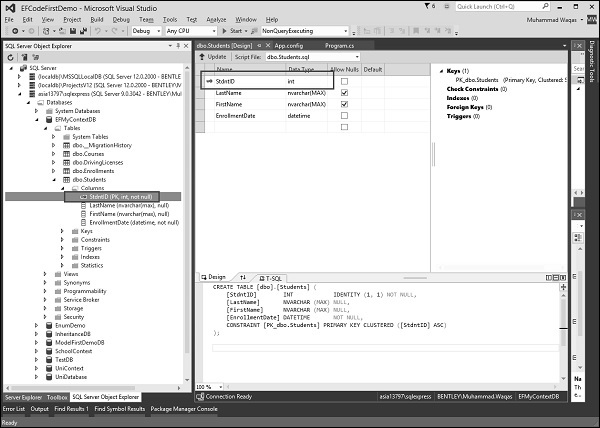
EF will now treat StdntID as the primary key.
Composite Keys
Composite keys use multiple properties as a primary key.
public class DrivingLicense { [Key, Column(Order = 1)] public int LicenseNumber { get; set; } [Key, Column(Order = 2)] public string IssuingCountry { get; set; } public DateTime Issued { get; set; } public DateTime Expires { get; set; } }
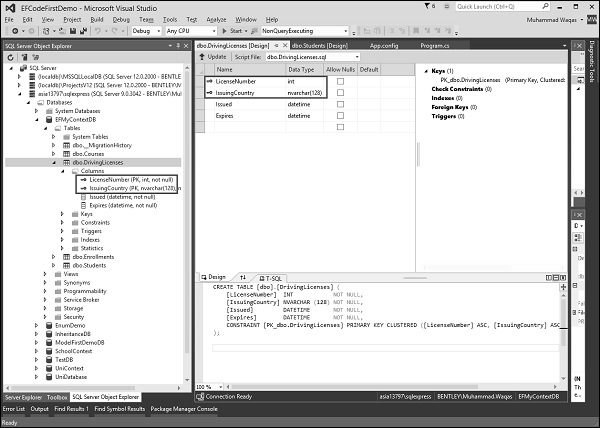
EF requires an explicit order for composite keys.
Timestamp Attribute
[Timestamp] is used for optimistic concurrency control.
Must be a byte[]
Only one timestamp per entity
Creates a non-nullable rowversion column
public class Course {
public int CourseID { get; set; }
public string Title { get; set; }
public int Credits { get; set; }
[Timestamp]
public byte[] TStamp { get; set; }
public virtual ICollection
ConcurrencyCheck Attribute
[ConcurrencyCheck] marks a property for concurrency validation.
public class Course { public int CourseID { get; set; } [ConcurrencyCheck] public string Title { get; set; } public int Credits { get; set; } [Timestamp] public byte[] TimeStamp { get; set; } }
EF includes the column in the WHERE clause during updates to detect conflicts.
Required Attribute
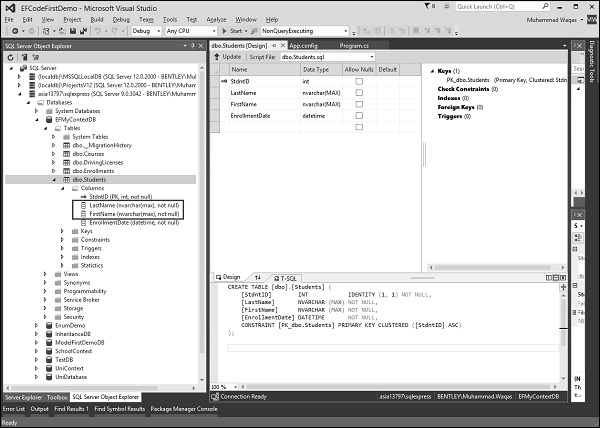
[Required] enforces:
NOT NULL columns
Validation in EF and MVC
public class Student { [Key] public int StdntID { get; set; } [Required] public string LastName { get; set; } [Required] public string FirstMidName { get; set; } public DateTime EnrollmentDate { get; set; } }
MaxLength Attribute
Defines maximum column length.
public class Course { public int CourseID { get; set; } [ConcurrencyCheck] [MaxLength(24)] public string Title { get; set; } public int Credits { get; set; } }
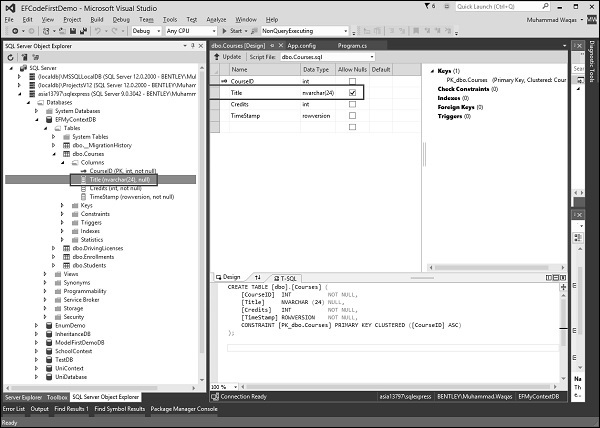
EF creates nvarchar(24) and throws validation errors if exceeded.
MinLength Attribute
Defines minimum allowed length.
[MaxLength(24), MinLength(5)] public string Title { get; set; }
StringLength Attribute
Used only for strings.
[StringLength(24)] public string Title { get; set; }
Similar to MaxLength but limited to string types.
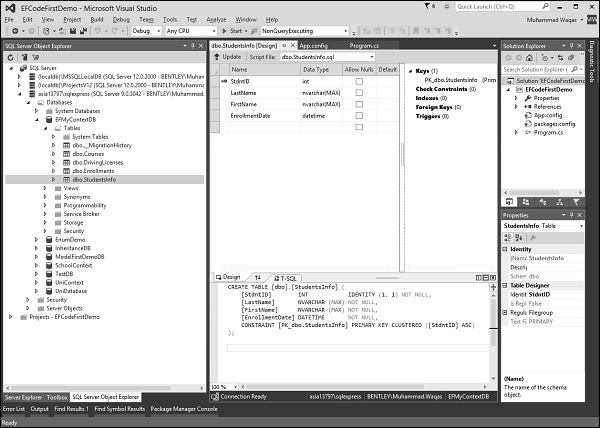
Table Attribute
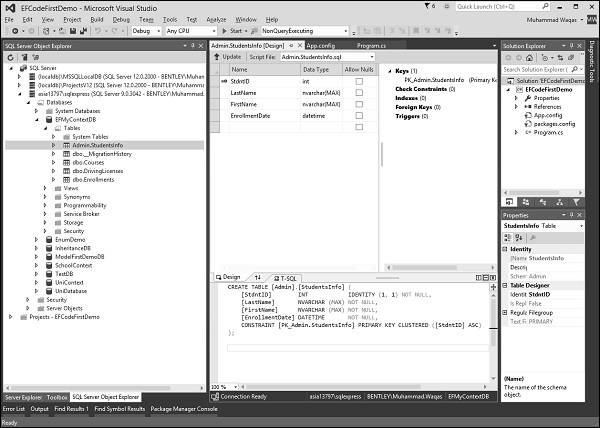
Overrides the table name and schema.
[Table("StudentsInfo")] public class Student { [Key] public int StdntID { get; set; } }
With schema:
[Table("StudentsInfo", Schema = "Admin")]
Column Attribute
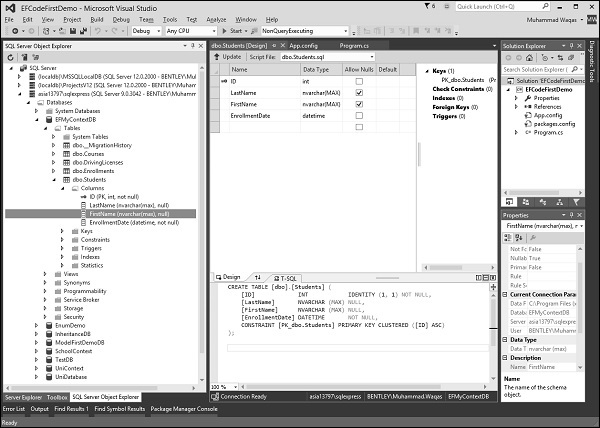
Overrides column names.
public class Student { public int ID { get; set; } [Column("FirstName")] public string FirstMidName { get; set; } }
Index Attribute (EF 6.1+)
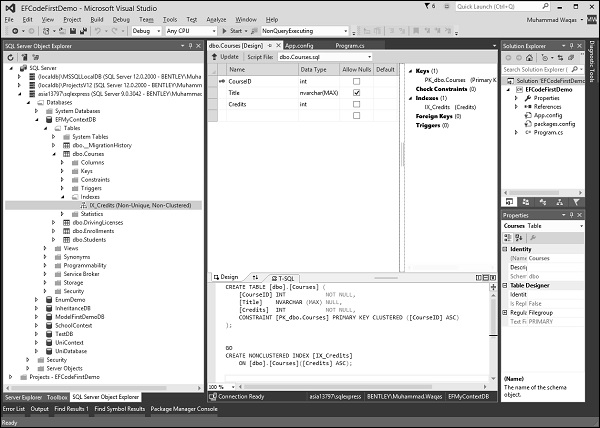
Creates database indexes.
public class Course { public int CourseID { get; set; } [Index] public int Credits { get; set; } }
Unique Index
[Index(IsUnique = true)] public string Title { get; set; }
Indexes improve read performance but may slow writes.
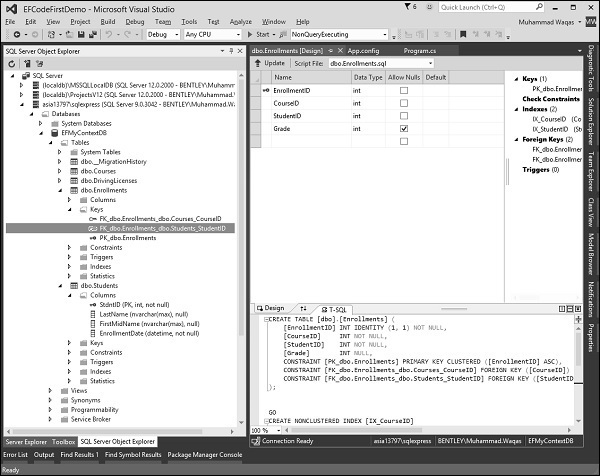
ForeignKey Attribute
Used when conventions cannot determine relationships.
public class Enrollment { public int EnrollmentID { get; set; } public int StudentID { get; set; } [ForeignKey("StudentID")] public virtual Student Student { get; set; } }
This explicitly links StudentID to Student.
NotMapped Attribute
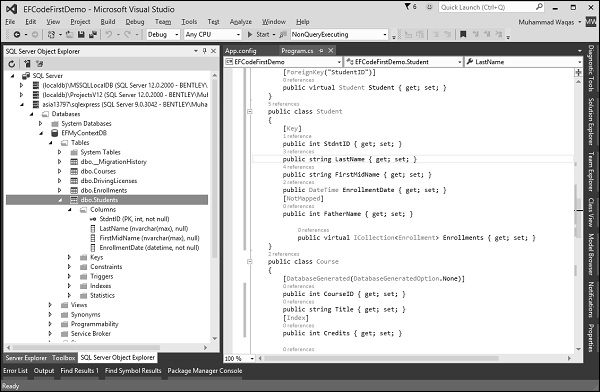
Prevents a property from being stored in the database.
public class Student { [Key] public int StdntID { get; set; } [NotMapped] public string FatherName { get; set; } }
InverseProperty
The InverseProperty is used when you have multiple relationships between classes. In the Enrollment class, you may want to keep track of who enrolled a Current Course and who enrolled a Previous Course.
Lets add two navigation properties for the Enrollment class.
public class Enrollment{ public int EnrollmentID { get; set; } public int CourseID { get; set; } public int StudentID { get; set; } public Grade? Grade { get; set; } public virtual Course CurrCourse { get; set; } public virtual Course PrevCourse { get; set; } public virtual Student Student { get; set; } }
Similarly, youll also need to add in the Course class referenced by these properties. The Course class has navigation properties back to the Enrollment class, which contains all the current and previous enrollments.
public class Course{
public int CourseID { get; set; }
public string Title { get; set; }
[Index]
public int Credits { get; set; }
public virtual ICollection
Code First creates {Class Name}_{Primary Key} foreign key column if the foreign key property is not included in a particular class as shown in the above classes. When the database is generated you will see a number of foreign keys as seen in the following screenshot.
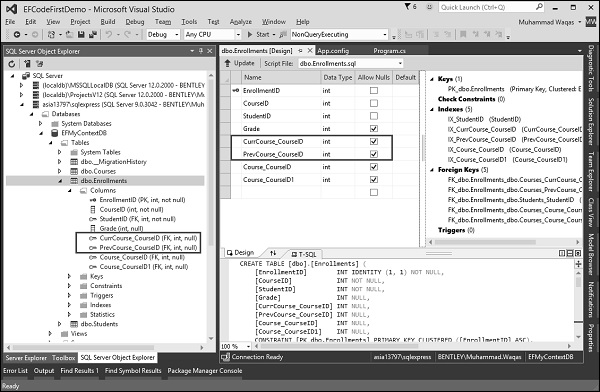
As you can see that Code First is not able to match up the properties in the two classes on its own. The database table for Enrollments should have one foreign key for the CurrCourse and one for the PrevCourse, but Code First will create four foreign key properties, i.e.
- CurrCourse_CourseID
- PrevCourse_CourseID
- Course_CourseID
- Course_CourseID1
To fix these problems, you can use the InverseProperty annotation to specify the alignment of the properties.
public class Course{
public int CourseID { get; set; }
public string Title { get; set; }
[Index]
public int Credits { get; set; }
[InverseProperty("CurrCourse")]
public virtual ICollection
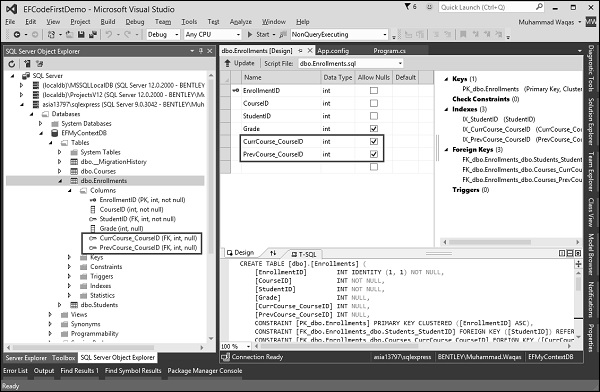
As you can see now, when InverseProperty attribute is applied in the above Course class by specifying which reference property of Enrollment class it belongs to, Code First will generate database and create only two foreign key columns in Enrollments table as shown in the following screenshot.
We recommend you to execute the above example for better understanding.