Actions
Action Methods in ASP.NET MVC
In ASP.NET MVC, action methods are responsible for handling incoming requests and returning appropriate responses. By default, an action method returns an object of type ActionResult, which represents different kinds of responses sent back to the client.
Each action generally corresponds to a user interaction, such as:
Entering a URL in the browser
Clicking a link
Submitting a form
Whenever a user performs one of these actions, a request is sent to the server. The URL of the request contains information that helps the MVC framework determine which controller and action method should be executed.
Rules for Action Methods
Action methods must be instance methods (they cannot be static)
There is no strict restriction on return type
They can return strings, integers, views, JSON, redirects, etc.
How MVC Processes a Request
Let’s understand how a request like /Home/Index is handled:
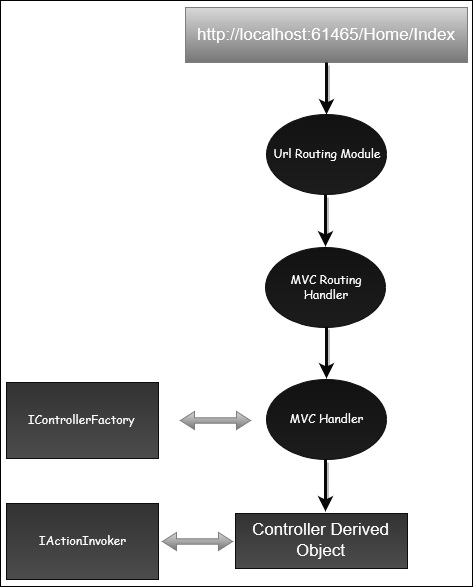
The UrlRoutingModule analyzes the incoming URL.
It matches the URL with entries defined in the routing table.
Control is passed to the MVC Route Handler.
The route handler forwards the request to MvcHandler, which is an HTTP handler.
MvcHandler uses a controller factory to create the appropriate controller.
The controller is identified using data stored in RouteData.
The controller’s Execute() method is called.
An Action Invoker is created to locate the correct action method.
The action method is executed and produces a response.
Types of Action Results
ActionResult is the base class for all result types. Common action results include:
| No. | Action Result Type | Description |
|---|---|---|
| 1 | ContentResult | Returns plain text or string |
| 2 | FileContentResult | Returns file content |
| 3 | FilePathResult | Returns file from a path |
| 4 | FileStreamResult | Returns file as a stream |
| 5 | EmptyResult | Returns no response |
| 6 | JavaScriptResult | Returns JavaScript code |
| 7 | JsonResult | Returns JSON-formatted data |
| 8 | RedirectResult | Redirects to a URL |
| 9 | HttpUnauthorizedResult | Returns HTTP 403 status |
| 10 | RedirectToRouteResult | Redirects to another route |
| 11 | ViewResult | Returns a view |
| 12 | PartialViewResult | Returns a partial view |
Example
Lets have a look at a simple example from the previous chapter in which we have created an EmployeeController.
using System; using System.Collections.Generic; using System.Linq; using System.Web; using System.Web.Mvc; namespace MVCControllerDemo.Controllers { public class EmployeeController : Controller{ // GET: Employee public ActionResult Search(string name){ var input = Server.HtmlEncode(name); return Content(input); } } }
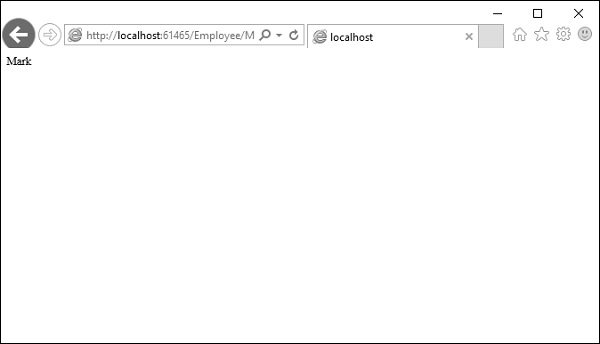
When you request the following URL http://localhost:61465/Employee/Mark, then you will receive the following output as an action.
Add Controller
Let us add one another controller.
Step 1 − Right-click on Controllers folder and select Add → Controller.
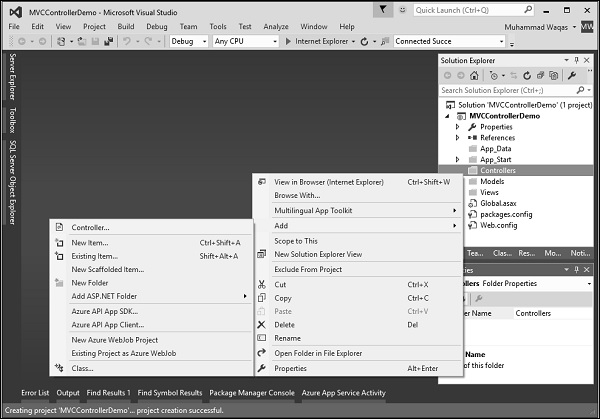
It will display the Add Scaffold dialog.
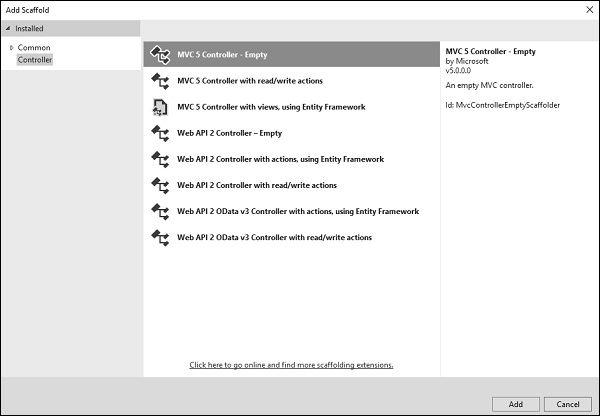
Step 2 − Select the MVC 5 Controller Empty option and click Add button.
The Add Controller dialog will appear.
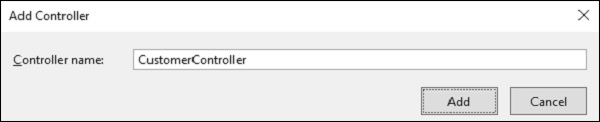
Step 3 − Set the name to CustomerController and click Add button.
Now you will see a new C# file CustomerController.cs in the Controllers folder, which is open for editing in Visual Studio as well.
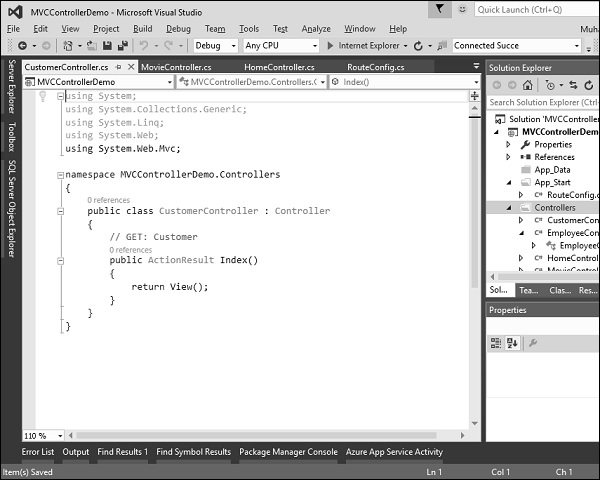
Similarly, add one more controller with name HomeController. Following is the HomeController.cs class implementation.
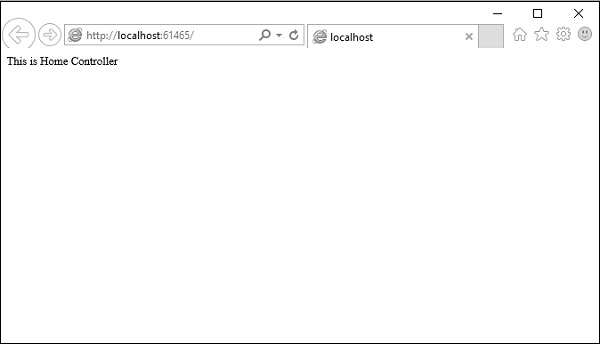
using System; using System.Collections.Generic; using System.Linq; using System.Web; using System.Web.Mvc; namespace MVCControllerDemo.Controllers { public class HomeController : Controller{ // GET: Home public string Index(){ return "This is Home Controller"; } } }
Step 4 − Run this application and you will receive the following output.
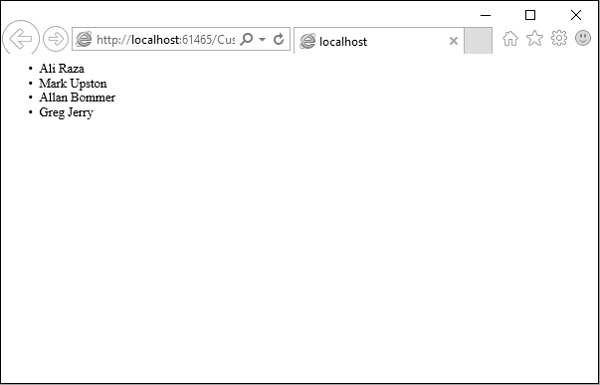
Step 5 − Add the following code in Customer controller, which we have created above.
public string GetAllCustomers(){ return @"
- Ali Raza
- Mark Upston
- Allan Bommer
- Greg Jerry
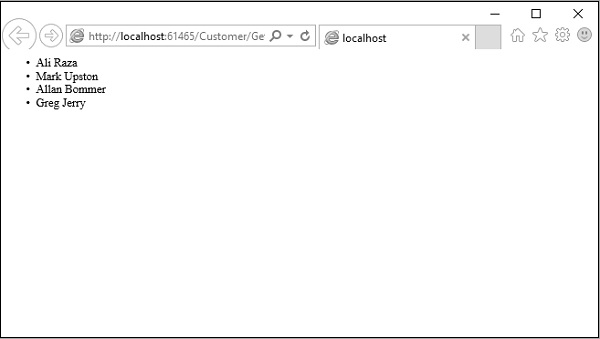
Step 6 − Run this application and request for http://localhost:61465/Customer/GetAllCustomers. You will see the following output.
You can also redirect to actions for the same controller or even for a different controller.
Following is a simple example in which we will redirect from HomeController to Customer Controller by changing the code in HomeController using the following code.
using System; using System.Collections.Generic; using System.Linq; using System.Web; using System.Web.Mvc; namespace MVCControllerDemo.Controllers{ public class HomeController : Controller{ // GET: Home public ActionResult Index(){ return RedirectToAction("GetAllCustomers","Customer"); } } }
As you can see, we have used the RedirectToAction() method ActionResult, which takes two parameters, action name and controller name.
When you run this application, you will see the default route will redirect it to /Customer/GetAllCustomers