Selectors
Action Selectors in ASP.NET MVC
Action selectors are attributes that you apply to action methods in a controller.
They help the MVC routing engine decide which action method should handle a request.
Action selectors are especially useful when:
Multiple methods exist in a controller
You want to rename an action
You want to hide a method from being called via URL
You want to restrict actions to specific HTTP verbs
Types of Action Selector Attributes
ASP.NET MVC provides three main action selector attributes:
ActionName
NonAction
ActionVerbs
ActionName
This class represents an attribute that is used for the name of an action. It also allows developers to use a different action name than the method name.
Example
Lets take a look at a simple example from the last chapter in which we have HomeController containing two action methods.
using System; using System.Collections.Generic; using System.Linq; using System.Web; using System.Web.Mvc; namespace MVCFiltersDemo.Controllers { public class HomeController : Controller{ // GET: Home public string Index(){ return "This is ASP.Net MVC Filters Tutorial"; } public string GetCurrentTime(){ return DateTime.Now.ToString("T"); } } }
Lets apply the the ActionName selector for GetCurrentTime by writing [ActionName("CurrentTime")] above the GetCurrentTime() as shown in the following code.
using System; using System.Collections.Generic; using System.Linq; using System.Web; using System.Web.Mvc; namespace MVCFiltersDemo.Controllers { public class HomeController : Controller{ // GET: Home public string Index(){ return "This is ASP.Net MVC Filters Tutorial"; } [ActionName("CurrentTime")] public string GetCurrentTime(){ return DateTime.Now.ToString("T"); } } }
Now run this application and enter the following URL in the browser http://localhost:62833/Home/CurrentTime, you will receive the following output.
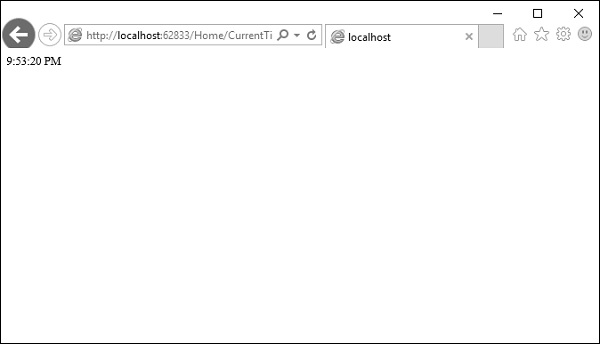
You can see that we have used the CurrentTime instead of the original action name, which is GetCurrentTime in the above URL.
NonAction
NonAction is another built-in attribute, which indicates that a public method of a Controller is not an action method. It is used when you want that a method shouldnt be treated as an action method.
Example
Lets take a look at a simple example by adding another method in HomeController and also apply the NonAction attribute using the following code.
using MVCFiltersDemo.ActionFilters; using System; using System.Collections.Generic; using System.Linq; using System.Web; using System.Web.Mvc; namespace MVCFiltersDemo.Controllers { public class HomeController : Controller{ // GET: Home public string Index(){ return "This is ASP.Net MVC Filters Tutorial"; } [ActionName("CurrentTime")] public string GetCurrentTime(){ return TimeString(); } [NonAction] public string TimeString(){ return "Time is " + DateTime.Now.ToString("T"); } } }
The new method TimeString is called from the GetCurrentTime() but you cant use it as action in URL.
Lets run this application and specify the following URL http://localhost:62833/Home/CurrentTime in the browser. You will receive the following output.
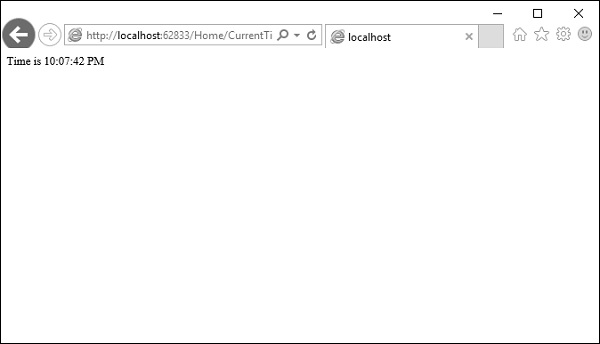
Let us now check the /TimeString as action in the URL and see what happens.
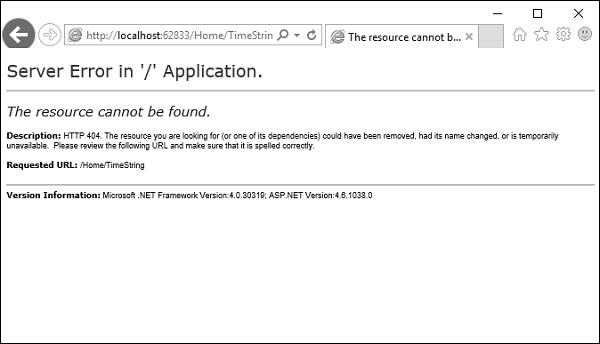
You can see that it gives 404Not Found error.
ActionVerbs
Another selector filter that you can apply is the ActionVerbs attributes. So this restricts the indication of a specific action to specific HttpVerbs. You can define two different action methods with the same name but one action method responds to an HTTP Get request and another action method responds to an HTTP Post request.
MVC framework supports the following ActionVerbs.
- HttpGet
- HttpPost
- HttpPut
- HttpDelete
- HttpOptions
- HttpPatch
Example
Lets take a look at a simple example in which we will create EmployeeController.
using System; using System.Collections.Generic; using System.Linq; using System.Web; using System.Web.Mvc; namespace MVCControllerDemo.Controllers { public class EmployeeController : Controller{ // GET: Employee public ActionResult Search(string name = No name Entered){ var input = Server.HtmlEncode(name); return Content(input); } } }
Now lets add another action method with the same name using the following code.
using System; using System.Collections.Generic; using System.Linq; using System.Web; using System.Web.Mvc; namespace MVCControllerDemo.Controllers { public class EmployeeController : Controller{ // GET: Employee //public ActionResult Index() //{ // return View(); //} public ActionResult Search(string name){ var input = Server.HtmlEncode(name); return Content(input); } public ActionResult Search(){ var input = "Another Search action"; return Content(input); } } }
When you run this application, it will give an error because the MVC framework is unable to figure out which action method should be picked up for the request.
Let us specify the HttpGet ActionVerb with the action you want as response using the following code.
using System; using System.Collections.Generic; using System.Linq; using System.Web; using System.Web.Mvc; namespace MVCControllerDemo.Controllers { public class EmployeeController : Controller{ // GET: Employee //public ActionResult Index() //{ // return View(); //} public ActionResult Search(string name){ var input = Server.HtmlEncode(name); return Content(input); } [HttpGet] public ActionResult Search(){ var input = "Another Search action"; return Content(input); } } }
When you run this application, you will receive the following output.