

C++
What is Java?
The latest release of the Java Standard Edition is Java SE 23. With the advancement of Java and its widespread popularity, multiple configurations were built to suit various types of platforms. For example: J2EE for Enterprise Applications, J2ME for Mobile Applications.
The new J2 versions were renamed as Java SE, Java EE, and Java ME respectively. Java is guaranteed to be Write Once, Run Anywhere.
Features of Java
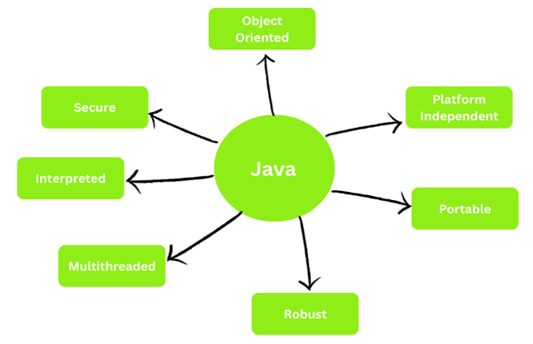
The most important features of Java are listed below −
- Object Oriented − In Java, everything is an Object. Java can be easily extended since it is based on the Object model.
- Platform Independent − Unlike many other programming languages including C and C++, when Java is compiled, it is not compiled into platform specific machine, rather into platform independent byte code. This byte code is distributed over the web and interpreted by the Java Virtual Machine (JVM) on whichever platform it is being run on.
- Secure − The Java is highly secure as it does not allow anyone to interact with memory. It has bytecode verification and security APIs.
- Portable − The Java is architecture-neutral and having no implementation dependent aspects of the specification makes Java portable.
- Robust − Java makes an effort to eliminate error prone situations by emphasizing mainly on compile time error checking and runtime checking.
- Multithreaded − With Java's multithreaded feature it is possible to write programs that can perform many tasks simultaneously. This design feature allows the developers to construct interactive applications that can run smoothly.
- Interpreted − Java byte code is translated on the fly to native machine instructions and is not stored anywhere. The development process is more rapid and analytical since the linking is an incremental and light-weight process.
Example
Take a look at the following simple Java program −
package com.tutorialspoint; import java.util.Scanner; public class JavaTester { public static void main(String args[]) { String a, b; Scanner scanner = new Scanner(System.in); System.out.println("Enter The value for variable a"); a = scanner.nextLine(); System.out.println("Enter The value for variable b"); b = scanner.nextLine(); System.out.println("The value you have entered for a is " + a); System.out.println("The value you have entered for b is " + b); scanner.close(); } }
In our example, we have taken two variables "a" and "b" and assigning some value to those variables. Note that in Java, we need to declare datatype for variables explicitly, as Java is strictly typed language. As Java is an object oriented language, we use objects to perform any action. We have used the Scanner class object to read user input from console which is represented by System.in object. System.out object method println() is used to print the values received.